

Many website owner wants to email the answer sheet/quiz result in Wp Pro Quiz to student as well as admin or tutor. Currently wp pro quiz provides the following functions to send via email and these are
- $userId – User-ID
- $username – Username
- $quizname – Quiz-Name
- $result – Result in percent
- $points – Reached points
- $ip – IP-address of the user
- $categories – Category-Overview
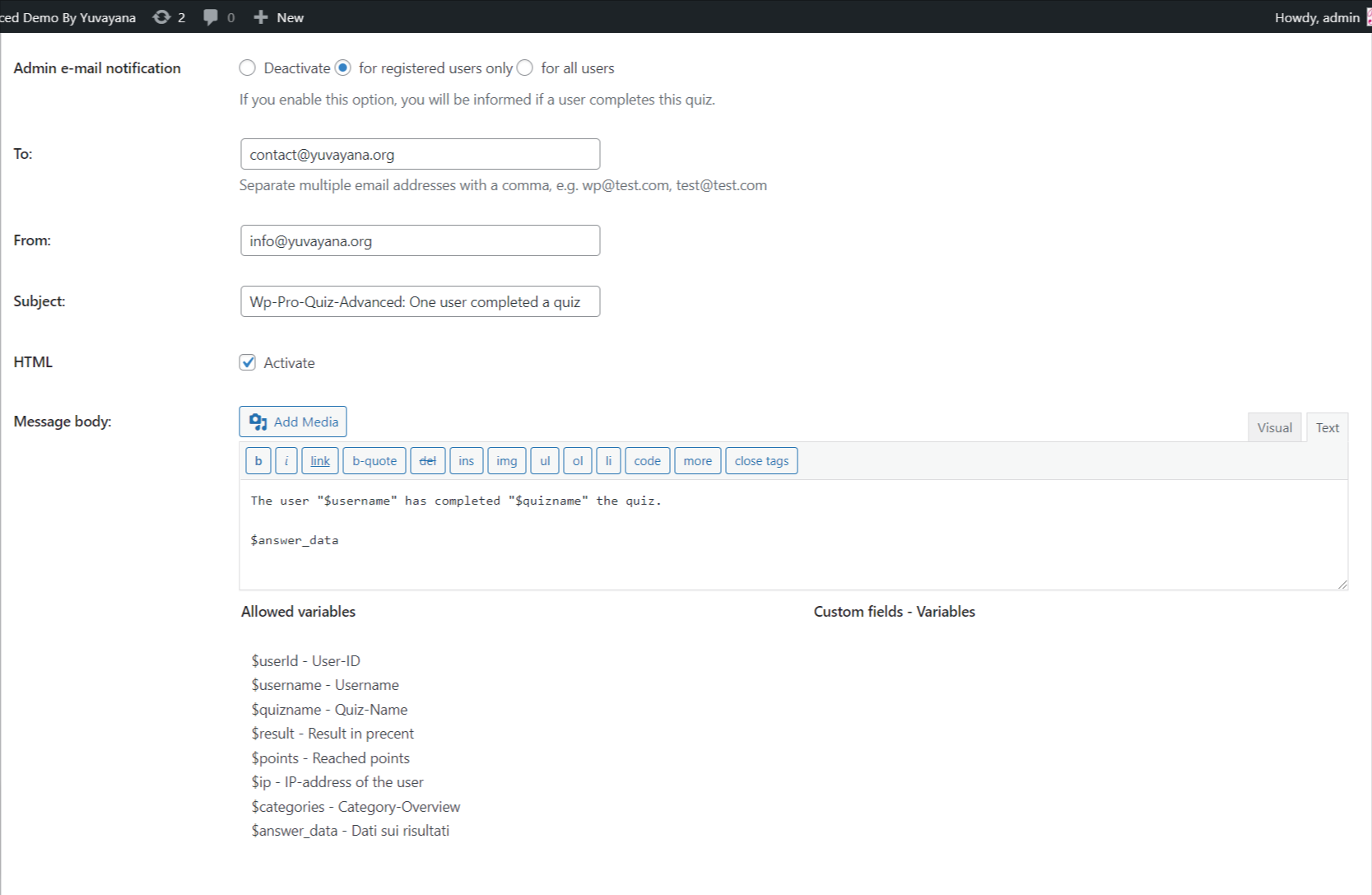
to email the answer sheet or quiz result we have customized the Wp Pro Quiz Advanced and added a new function “$answer_data”. This function will send the complete answer sheet via email to the registered user if you set it in the user email notification or to tutor/admin if you set it in the admin email notification.
When you want to send the answer sheet via email you have to make sure that HTML is enabled that means you have to tick the checkbox that is in front of the HTML text. Apart from this no other settings are required to email the result. This will be the format of the email result


We’ve Moved On from WP Pro Quiz 🚀
We’ve discontinued development and support for WP Pro Quiz and it’s addon. But there’s great news! 🎉 If you’re an existing WP Pro Quiz user, you can now seamlessly migrate to Acadlix — our modern, powerful LMS plugin — with zero manual effort.Acadlix brings everything you loved about WP Pro Quiz, and so much more — with better design, faster performance, advanced features and full quiz compatibility.
No need to start over — just switch and start teaching smarter!
FAQ
If you have any other special requirements then you can contact us via the given form below or you can call us / WhatsApp us at +91-8755077650.


