

We have been using the WP Pro Quiz on our site test.yuvayana.org since 2013, when we started a blog to provide online tests and quizzes for various examinations, and it was the best Quiz plugin for WordPress. Everything was going great, but slowly we started getting demand from our visitors for the modern layouts, new features like negative marking, fractional marking, numerical range type questions, advanced layouts similar to exams, the ability to check the attempted quizzes’ solution, if they return later and many more
Exploring Alternatives (and Facing Limitations)
At that time, we started searching for a readymade solution for our problem, and we got a few solutions beyond WordPress. We tried one of them to conduct premium quizzes. But it was very hard to manage and customize that system as per our needs, and in the meantime, the WP Pro Quiz was also removed from the WordPress plugin repository due to some security issues.
Building Our Own Add-ons to Extend WP Pro Quiz
So we started developing a few add-ons to fulfill our needs like wp pro quiz student dashboard, bulk question upload from MS Word / MS Excel and corrected the issues of WP Pro Quiz. We also made these addons available to the other WP Pro Quiz users, and many of them purchased these addons from us. Then we started getting requests from many people to build new features in the WP Pro Quiz, and Yes! We developed so many.
Reaching the Limits of WP Pro Quiz
But slowly, we started getting requests that were really very complex and were not possible with the WP Pro Quiz. That was the turning point, and we started thinking that we could start developing something that should be modern, fast, secure, flexible, feature-rich and extendable.
The Birth of Acadlix – From a Quiz Plugin to a Full LMS
The most important part was that we were also thinking of a solution that we could easily migrate from WP Pro Quiz to a Better Plugin. So we developed the Acadlix from scratch, with a quizzing system that looks like WP Pro Quiz but with many advanced features and the ability to easily extend. We have started with an idea of a WordPress Quiz plugin that can be an easy replacement for the WP Pro Quiz but later we realized that, people need to use different type of membership plugins or eCommerce plugins to sell their test series or to restrict the premimum content, as well as many of you also wanted a solution to provide assignments, online classes, video courses, integration with Artificial Intelligence etc. So we again extended our idea, and Acadlix turned into a Hybrid LMS cum quizzing plugin for WordPress.
How to migrate from Wp Pro Quiz to Acadlix?
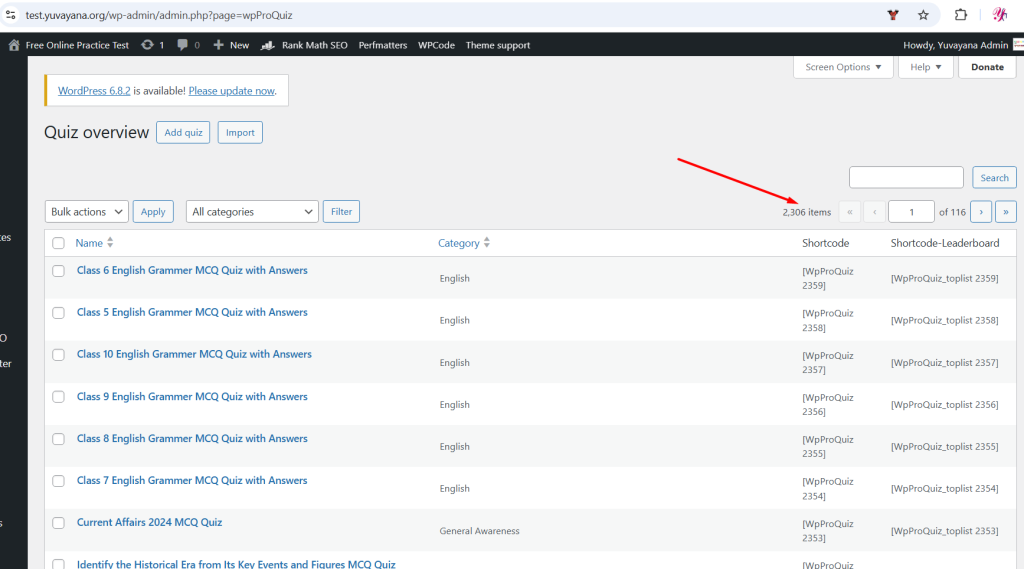
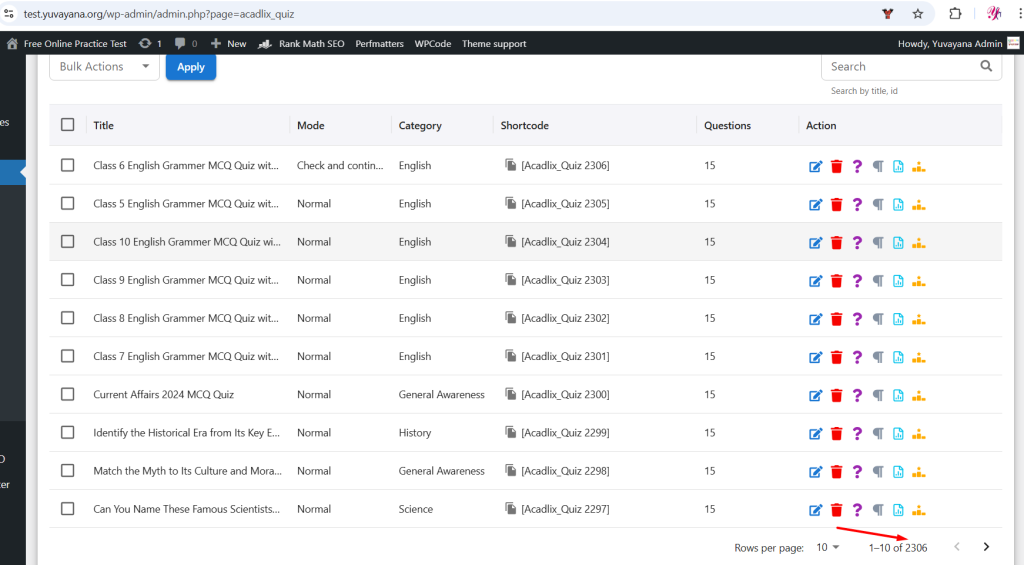
On our online testing section https://test.yuvayana.org/ we had 2306 quizzes in Wp Pro Quiz plugin and more than 46,529 questions and most of the quizzes had leaderboard options enabled. We also had stats that were more than 450MB in datatables, but we have removed them, as it was a free site and we didn’t use any login feature for the students.
Creating the WP Pro Quiz to Acadlix Importer
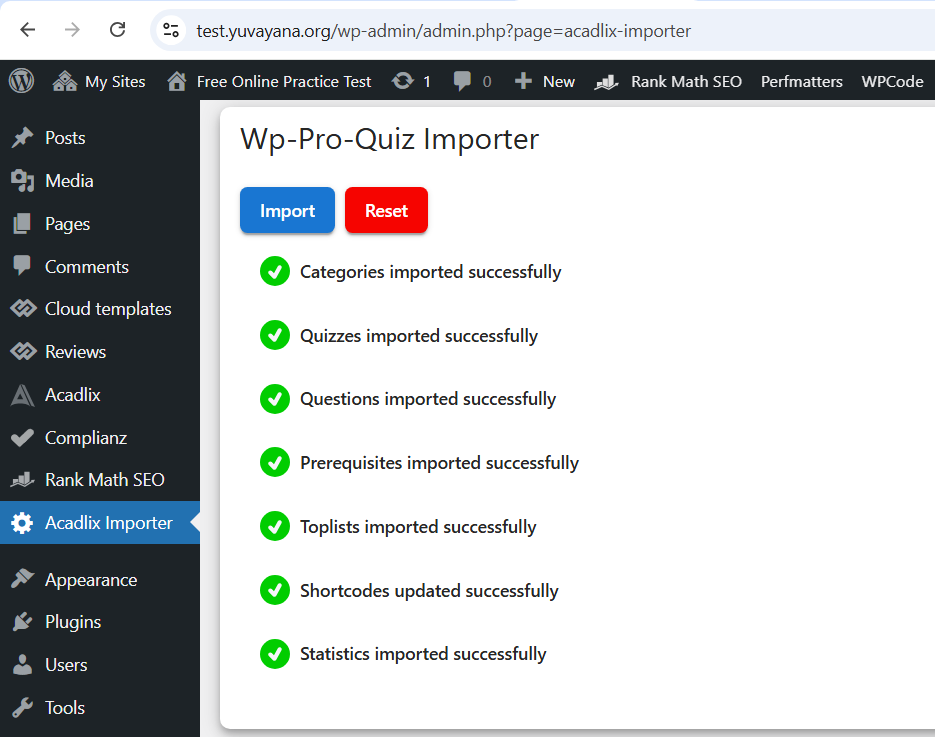
We knew that if we migrate this much amount of data manually then it will be very hectic task for our team, so we created an addon to easily migrate from Wp Pro Quiz to Acadlix. This addon will help you to transfer data from Wp Pro Quiz to Acadlix – All your quizzes, questions, leaderboard data and statistics. But now you are thinking, do I have to replace the old wp pro quiz shortcodes to new Acadlix shortcodes manually ?
The Answer: No Manual Work Required
And the answer is, No. This addon will not let you involve in the manual work. It will manage to replace the old wp pro quiz shortcodes to new Acadlix shortcodes, with a few minutes (may vary based on your server and number of posts).
Step-by-Step: Migrate to Acadlix in Minutes
- Install and activate the Acadlix Pro
- Install and activate the Acadlix Importer addon
- From left menu navigate to the Acadlix Importer
- Now simply click on “Import” button.
Note: Migration time may vary based on the data size and your server. If at any time you see that importer stopped, then click on the Import button again. This often happen when you have a larger data size with a shorter Max_Execution_Time.
Looking to Migrate from WP Pro Quiz?
Let us help you switch in minutes — without breaking your existing content.
✅ No data loss
✅ No shortcode editing
✅ Better performance, more features
👉 Get Acadlix Now or Request a Free Demo
FAQs
Do you provide support to migrate from WP Pro Quiz to Acadlix?
Yes, absolutely!
We offer full support — right from installing Acadlix to migrating all your quizzes, questions, leaderboard data, and shortcodes from WP Pro Quiz. Our goal is to make your transition smooth and hassle-free.
Is this a one-time support or will I get help in the future too?
We provide one-time free support for the WP Pro Quiz to Acadlix migration. Once your data is migrated, there’s usually no need to do it again.
However, we’re always here for you!
You’ll continue to receive ongoing support for any Acadlix-related issues, updates, or feature guidance as long as you’re using our plugin.
Is there any options in the Wp Pro Quiz that Acadlix don’t has?
Yes, there are a few WP Pro Quiz options that we haven’t included in Acadlix yet. These include:
- Assigning different points to different answers
- The old leaderboard shortcode
- Support for custom fields
-
Options like:
- Hide correct/incorrect message
- Mark correct/incorrect answers visually
- Hide correct questions after submission
- Assesment type questions
However, aside from these few, you’ll find many new and more advanced features in Acadlix, including all essential and frequently used functionalities from WP Pro Quiz.
We’ve focused on creating a modern, scalable, and extendable plugin — so if there’s something you truly need, feel free to suggest it — we’re constantly improving based on user feedback.
I’ve used WP Pro Quiz leaderboard shortcodes in my posts. What happens to them after switching to Acadlix?
We have an option for the leaderboard in Acadlix, same like Wp Pro Quiz but Currently, Acadlix does not include a leaderboard shortcode feature like [WpProQuiz_toplist x].
But don’t worry — during the migration process, we will automatically remove all WP Pro Quiz leaderboard shortcodes from your posts and pages. You don’t have to manually edit anything.
This cleanup ensures that your content looks clean and error-free after the switch.
If you have any questions, feel free to contact us via email at info@yuvayana.org or via WhatsApp at +91-8755077650.